General Settings
Configure org-wide defaults for your Novigem installation.
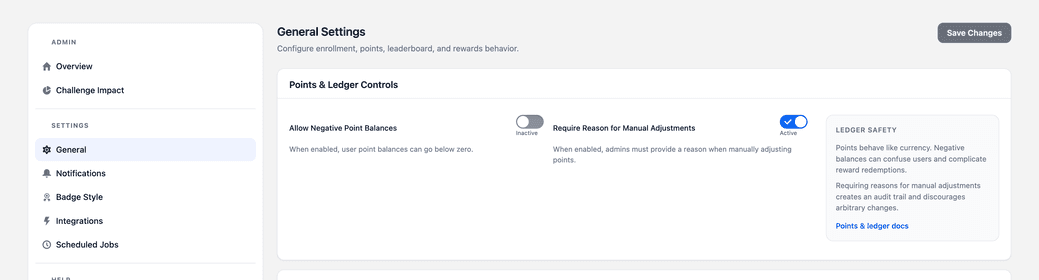
Access these settings via Novigem Admin > Settings > General.
The page has eight cards, in this order: Points & Ledger Controls, Challenge Periods, Teams, Leaderboard Settings, Rewards and Fulfillment, Coaching messages, Tracked Objects, and Rule Engine Controls.
Points and ledger
| Setting | Description |
|---|---|
| Allow Negative Point Balances | When enabled, user point balances can go below zero. Off by default. |
| Require Reason for Manual Adjustments | When enabled, admins must provide a reason when manually adjusting points. |
Requiring a reason for manual adjustments creates an audit trail and discourages arbitrary changes. Worth keeping on.
Challenge periods
| Setting | Default | Description |
|---|---|---|
| Week Start Day | Monday | The day a weekly period begins. Used for weekly challenges, weekly recurring resets, and the weekly leaderboard. |
Enrollment
There is nothing to configure. Users join a challenge automatically the first time a matching rule awards them points. There is no sign-up step, no pre-enrollment, and no way to add someone to a challenge by hand.
Earlier versions showed an Enrollment Behavior card here with two settings marked Coming soon. That card has been removed. Activity-driven enrollment is how Novigem is designed to work rather than a first step toward something else, so a permanently disabled control was misleading: it read as a setting you had failed to find rather than one that does not exist.
To control who can take part in a challenge, scope it to a team on the Teams card instead. That decides eligibility. Enrollment still happens on first activity for everyone eligible.
Teams
Decides which Salesforce Public Groups count as Novigem teams. Nothing else on this page depends on it, and leaving it empty is a valid choice: it means team scoping is not in use and every challenge applies to the whole org.
| Setting | Description |
|---|---|
| Participating teams | The Public Groups offered in the Applies to picker on challenges and rules. Empty by default. |
Orgs routinely have dozens of public groups that have nothing to do with Novigem, so this is opt-in rather than a list of all of them.
Until a group is added here, the Applies to control does not appear on the challenge builder at all. If you are looking for it and cannot find it, this is why.
Taking a group off this list stops it being offered in the pickers. It does not un-scope challenges already using it, because silently widening the audience would start awarding points to people you had chosen to exclude. Change the challenge itself.
The group must exist in Salesforce first, under Setup > Public Groups. Novigem does not create them.
Leaderboard
| Setting | Default | Description |
|---|---|---|
| Default Timeframe | All-time | The period the leaderboard opens on. Choose All-time, Weekly, Monthly, or Quarterly. Users can still switch period themselves. |
The card also shows a Leaderboard Scope picker, marked Coming soon and not yet editable.
The leaderboard is organisation-wide today. Narrowing it to a team or role is what the Leaderboard Scope setting will do once it ships.
Rewards and fulfillment
Rewards and redemption are planned for a future release. Disabling this section has no effect on points or challenge progress.
| Setting | Status |
|---|---|
| Enable Rewards | Coming soon |
Coaching messages
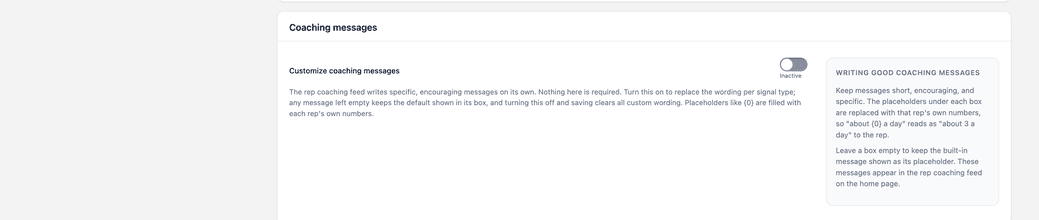
Novigem writes its own coaching copy. Turn on Customize coaching messages to replace it with your own wording.
The toggle reveals six textareas, one per signal type, each capped at 255 characters. Leave a box empty to keep the built-in message for that signal.
| Signal type | Placeholders |
|---|---|
| Momentum drop | {0} points this week, {1} usual weekly pace |
| Momentum rise | {0} points this week, {1} usual weekly pace |
| Inactive | {0} days since last points |
| Rule gap | {0} rule name |
| Goal at risk | {0} needed per day, {1} days left, {2} challenge name |
| Streak break | {0} weeks the streak ran |
Turning the toggle off and saving clears all custom wording. Keep a copy elsewhere if you want to reuse it.
Tracked objects
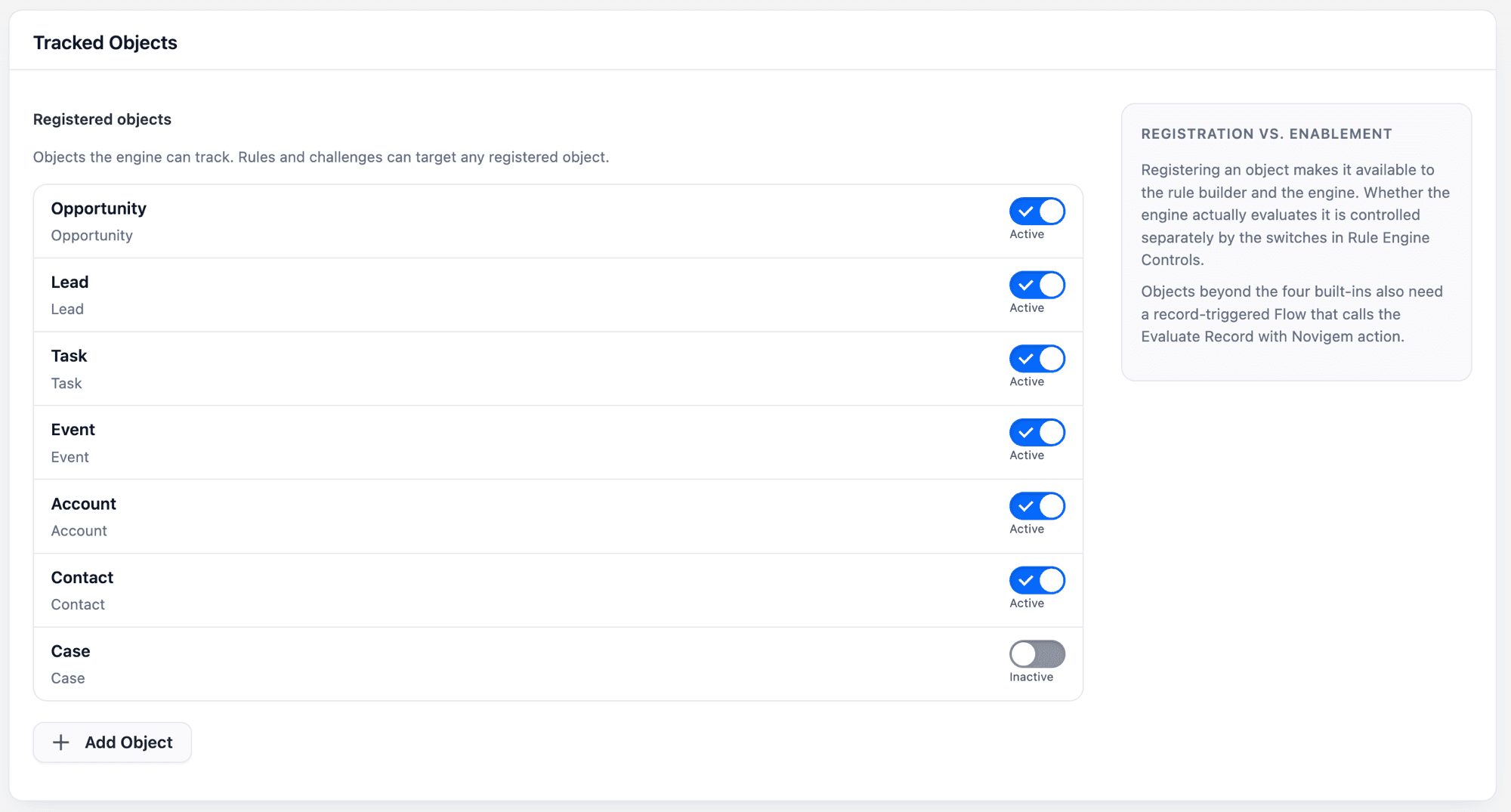
The Tracked Objects card lists the objects the rule engine can track. Opportunity, Lead, Task, and Event are registered out of the box.
Each object has a toggle, and Add Object opens a Register an Object panel for anything else in your org.
| Action | Effect |
|---|---|
| Register | The object becomes available in the rule and challenge builders |
| Enable | The engine actually evaluates records of that object |
An object marked Not installed is registered in metadata but missing from this org.
Objects beyond the four built-ins also need a record-triggered Flow that calls the Evaluate Record with Novigem action. Registering and enabling on their own award nothing. See Gamify a new object.
Rule engine controls
| Setting | Description |
|---|---|
| Enable Rule Engine | Global kill switch. Disable during data migrations to prevent unwanted point awards. |
Turning the rule engine off also stops the coaching signal and streak milestone batches in the nightly job.
Insights thresholds
Coaching signals are deterministic threshold comparisons, not predictions. The thresholds have no UI. Edit them as Novigem Setting custom metadata records under Setup > Custom Metadata Types > Novigem Setting > Manage Records.
| Setting | Category | Default | Description |
|---|---|---|---|
insightsLookbackWeeks | Insights | 4 | Weeks of history used to work out a user’s usual pace. |
insightsInactivityDays | Insights | 14 | Days without points before a user counts as inactive. |
insightsMinBaselineWeeklyPoints | Insights | 10 | Minimum usual weekly points before momentum signals apply. |
insightsMomentumDropRatio | Insights | 0.5 | This week’s points divided by the usual pace, at or below which a momentum drop fires. |
insightsMomentumRiseRatio | Insights | 1.5 | This week’s points divided by the usual pace, at or above which a momentum rise fires. |
insightsStreakMinWeeks | Insights | 3 | Weeks a streak must run before breaking it fires a signal. |
insightsRetentionDays | Insights | 90 | Days coaching signals are kept before cleanup. |
streakMilestonePoints | General | 25 | Bonus points paid at 3, 7, 14, 30, 60, and 100 consecutive active days. Set to 0 to disable. |
Next steps
- Notifications: configure how your team gets updates
- Scheduled Jobs: manage background automation and resets
- Gamify a new object: register an object and connect it with a Flow
- Quick setup: checklist for getting your org ready