Rules
A Rule defines when points get awarded. It watches a Salesforce object and fires when a record is created or updated and your conditions match.
Any object can be watched. Opportunity, Lead, Task, and Event work out of the box through packaged triggers. Any other standard or custom object first has to be registered under Novigem Admin → Settings → General → Tracked Objects, and then needs a record-triggered Flow that calls the Evaluate Record with Novigem action. See Gamify a new object.
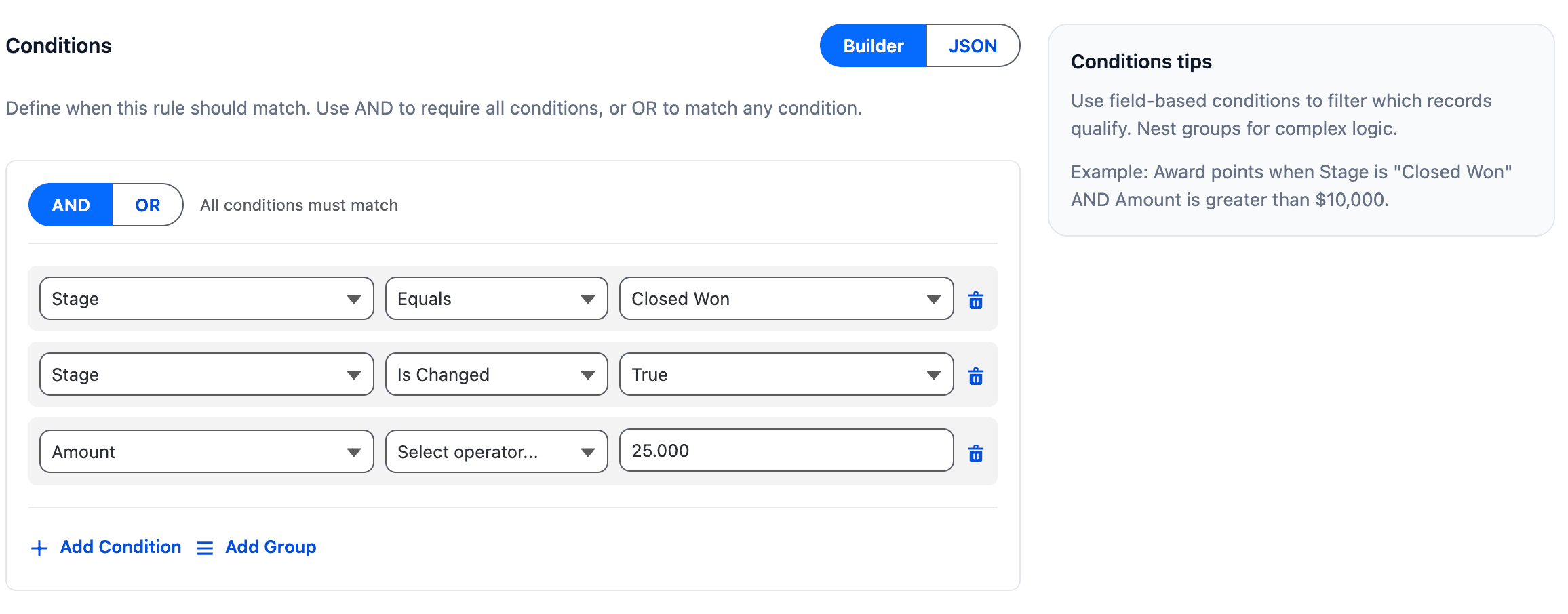
Rules evaluate things like:
- A record was created (a new lead, a logged call)
- A field was updated (next steps filled in, stage moved)
- A field changed to a specific value (stage became “Closed Won”)
- A date falls in a relative window (closes this quarter, created in the last 30 days) using date tokens
- Multiple conditions combined with AND or OR logic
Rules without a challenge
A rule does not need to be linked to a challenge. When it is not:
- Points are still awarded and recorded in the ledger
- No challenge progress is updated
- The user’s total balance and leaderboard rank still go up
- The user still sees a “Points Earned” celebration
This is useful for general incentives (“5 points for every completed task”) without tying the points to a specific goal.
How events are recorded
Every time a rule fires, a ledger entry is created with:
- The point value
- The user who earned them
- The rule (and challenge, if linked)
- The record that triggered it
- A timestamp
This gives admins a full audit trail. See the Ledger for details.
Duplicate awards are blocked automatically. The same user triggering the same rule on the same record will only earn points once, no matter how many times the record is saved.
Good rule design
Tips for effective rules
Reward outcomes, not busywork
Scoring should push toward business goals, not just activity volume.
Be specific with conditions
Broad rules create noise; narrow rules create signal.
Use isChanged with equals for stage-based rules
This prevents points from firing on re-saves where nothing actually changed.
Start conservative
It is much easier to loosen rules than to explain to the team why their points were inflated.
Check the ledger after activating
Verify the rule fired the way you expected before rolling out to the full team.
Common pitfalls
- Over-rewarding trivial actions leads to users optimizing for points, not outcomes
- Ambiguous conditions fire in unexpected situations
- Too many rules in one challenge makes it hard to understand what earns what
Related
- Quick setup: configure rules for your business goals
- Rules builder reference: all fields, operators, and condition examples
- Date Tokens: relative dates like “this quarter” or “in the last 30 days” in conditions
- Gamify a new object: register any object and connect it with a Flow
- Create your first challenge: see rules in action
- Challenges, Badges, Ledger