Create your first challenge
This page walks you through designing and launching a small, focused pilot challenge. The goal is to learn quickly, not to redesign your entire sales process.
You do not have to start from scratch. The Challenge Library in the admin app has twelve ready-made starter templates: challenges, their rules, and badges, installed in one click. Everything arrives inert, challenges as Draft and rules inactive, so nothing awards a point until you have reviewed it in the builder and switched it on.
Steps at a glance
Pick a simple objective
Define the audience and time frame
Attach rules to the challenge
Configure rewards and visibility
Communicate the challenge
Launch and monitor
Review outcomes
1. Pick a simple objective
Choose one clear behaviour to improve. Good first objectives:
- “Keep all opportunities in a real, up-to-date stage”
- “Increase the number of first meetings booked and followed up”
- “Improve notes and next steps on key opportunities”
Avoid vague goals like “use Salesforce more”.
Write your objective in one sentence. You’ll reuse this in the challenge description.
2. Define the audience and time frame
Decide:
- Who participates: one team (e.g. SDRs in one region). A small pilot group of 5-15 people works best.
- How long it runs: 2-4 weeks is recommended for a first challenge. Long enough to see patterns, short enough to keep energy high.
Navigate to Challenges in the top navigation and create a new Challenge:
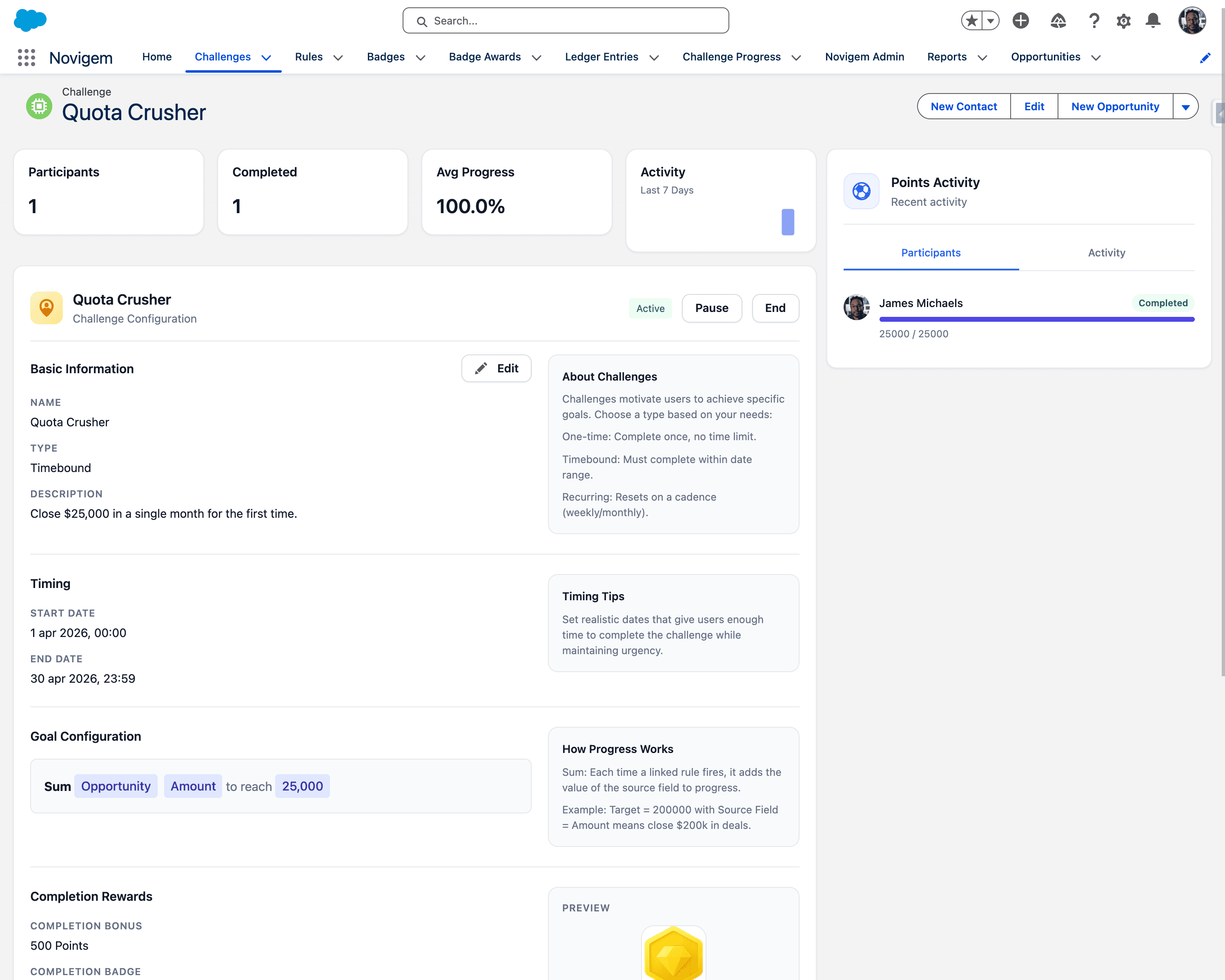
Set the following:
- Name (e.g.
Pipeline Hygiene Sprint) - Start and end dates
- Goal configuration (target amount, completion bonus)
There is no participant field. Enrollment is implicit: a user joins the challenge the moment a matching rule first awards them points, and Novigem creates a Challenge Progress record on the spot. You scope a pilot through who is doing the work and which rules are active, not through a list of names.
Because the challenge has both a start and an end date, every participant also gets a goal pace chip: Ahead of pace, On track, or Behind pace, with a detail line such as “Need 4/day to finish” when they are behind. Pace has a small built-in tolerance so the status does not flip on one quiet day, and it does not appear on completed challenges or challenges without a window.
3. Attach rules to the challenge
Use the rules you prepared in Basic configuration. For example:
- 5 points when an opportunity moves forward a stage
- 3 points when a Next Step is updated to a clear, future action
- 5 points when a meeting is completed with notes
Attach only 2-4 rules to your first challenge. Too many rules make it hard for users to understand what matters.
Check:
- The actions are under the control of the participants
- The rules are not rewarding spammy or low-quality updates
- The point differences make intuitive sense
4. Configure rewards and visibility
Within the challenge:
- Enable leaderboards so participants can see where they stand
- Attach existing badges if relevant (e.g. “Hygiene Hero” badge after certain thresholds)
Avoid complex prize structures in your first challenge. Clarity beats cleverness.
5. Communicate the challenge
Before launch, send a simple announcement that answers:
- Why this challenge exists
- What behaviours are rewarded
- How long it runs
- Where people can see their progress
- Who to contact with questions
For example:
“For the next 3 weeks we’re running a Pipeline Hygiene Sprint. You’ll earn points for clean stages, clear next steps, and meetings with notes. You can see your progress in the Home tab under My Challenges and My Points.”
6. Launch and monitor
Once the challenge is live:
- Ask managers to work from Team Pulse. It lists each of their direct reports with engagement status, goal pace, last activity, points, and any open coaching signals, with the people who need attention at the top. Managers need the Novigem Manager permission set for this tab
- As an admin, watch Ledger Entries for:
- Unexpected spikes
- Rules firing too often or too rarely
- Obvious gaming behaviour
Make small adjustments if needed, but avoid changing the goal mid-challenge.
7. Review outcomes
At the end of the challenge, start with Challenge Impact, the admin screen that compares participants’ tracked activity before, during, and after the challenge. It reports Activity Lift (did behaviour change while the challenge ran) and Retention (did the change hold afterwards). That is the honest read on whether the pilot worked.
Then review:
-
Changes in:
- Number of updated opportunities
- Data quality (stages, next steps, notes)
- Activity levels
-
Feedback from:
- Reps (“Was this clear and fair?”)
- Managers (“Did this help coaching?”)
Use these insights to:
- Adjust point values and rules
- Decide what the next challenge should focus on
- Refine your internal “playbook” for behaviour change
Related
You’ve now installed Novigem, configured it, and run a pilot challenge. You have real-world data and feedback. Your next step is to use these insights to design more effective programs.
- Learn to Design Effective Challenges: A guide to the principles behind successful programs.
- Coaching: What the nightly signals tell reps and managers once the pilot is running.